Add Balance On Hand to your phone in under a minute.
Balance On Hand is a Progressive Web App (PWA), so you can install it directly from your browser. No app store, no download wait — just an icon on your home screen.
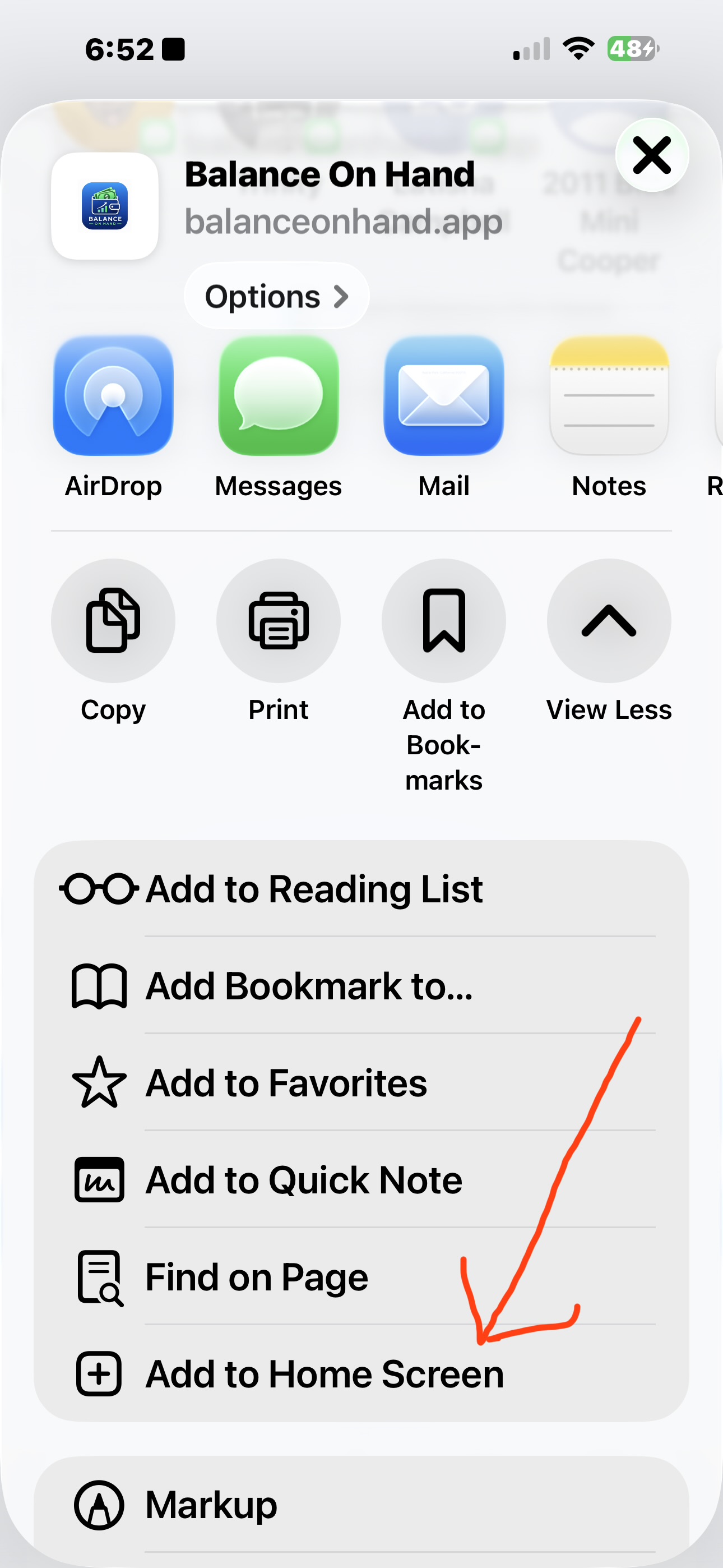
iPhone & iPad (Safari)
- Open balanceonhand.app in Safari.
-
Tap the
Share button
 (the square with an upward arrow) at the bottom of the screen.
- Scroll down and tap Add to Home Screen.
- Confirm the name and tap Add.
The Balance On Hand icon will appear on your home screen, just like a native app. Tap it any time to open the app directly.
Android (Chrome)
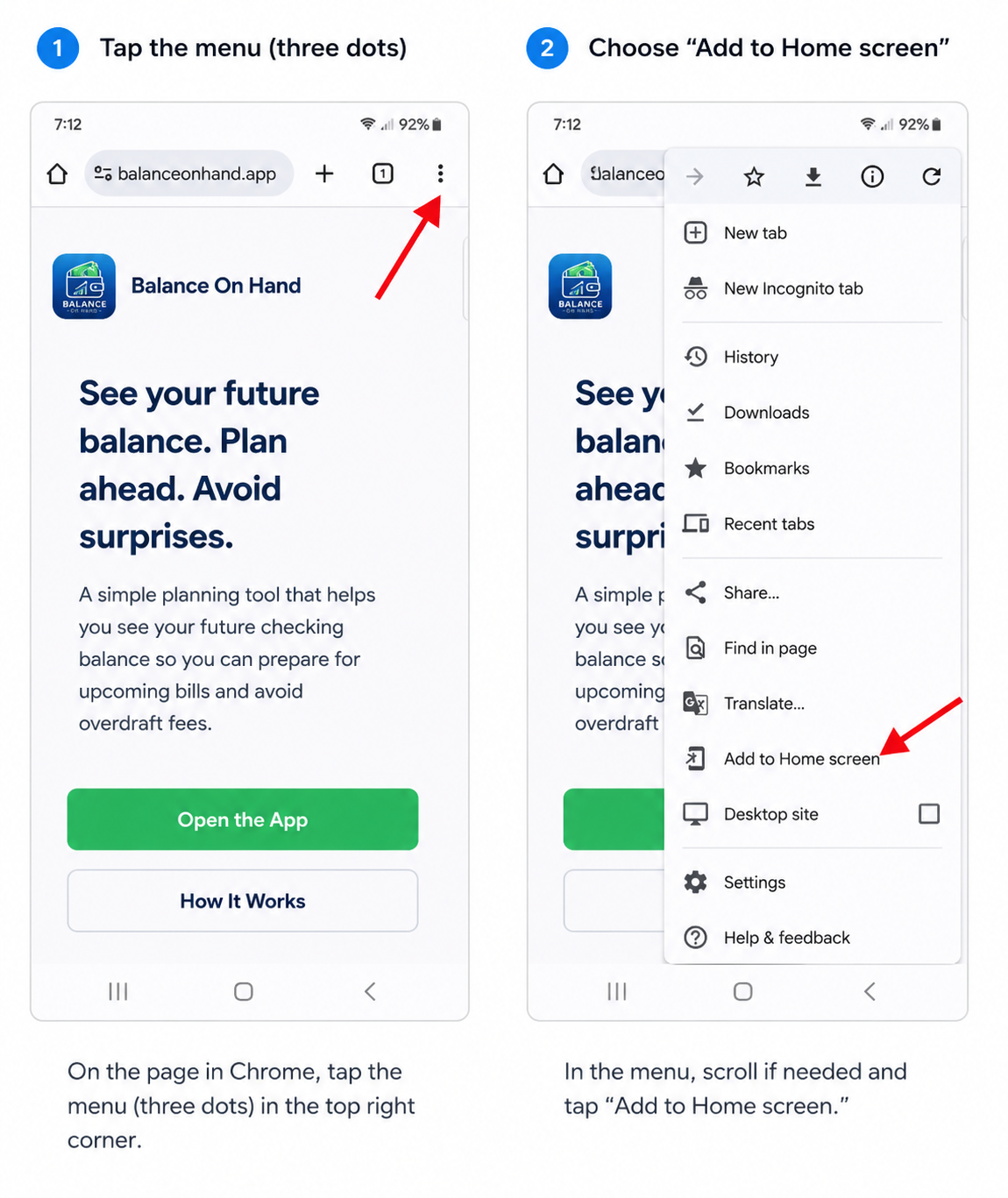
- Open balanceonhand.app in Chrome.
- Tap the menu (three dots) in the top-right corner.
- Tap Install app or Add to Home screen (the wording depends on your device).
- Confirm and tap Install.
Balance On Hand will install as a native-feeling app on your home screen and in your app drawer.
Other browsers and desktops
Most modern browsers can install Balance On Hand directly:
- Chrome / Edge / Brave (desktop): look for an "Install" icon in the address bar, or use the menu → "Install Balance On Hand".
- Firefox (Android): open the page menu and choose "Install".
- Samsung Internet: use the menu and choose "Add page to" → "Home screen".
Frequently asked questions
Do I need an account?
Open Balance On Hand and follow the in-app instructions. The app itself lives at balanceonhand.app.
Will my data sync between devices?
Refer to the in-app help inside Balance On Hand for the most up-to-date information about syncing and backups.
Is it really free to install?
Yes — installing the PWA is free and uses no app-store mechanism. There's nothing to pay before you can try it.
Ready to install?
Open Balance On Hand in your browser, then add it to your home screen.